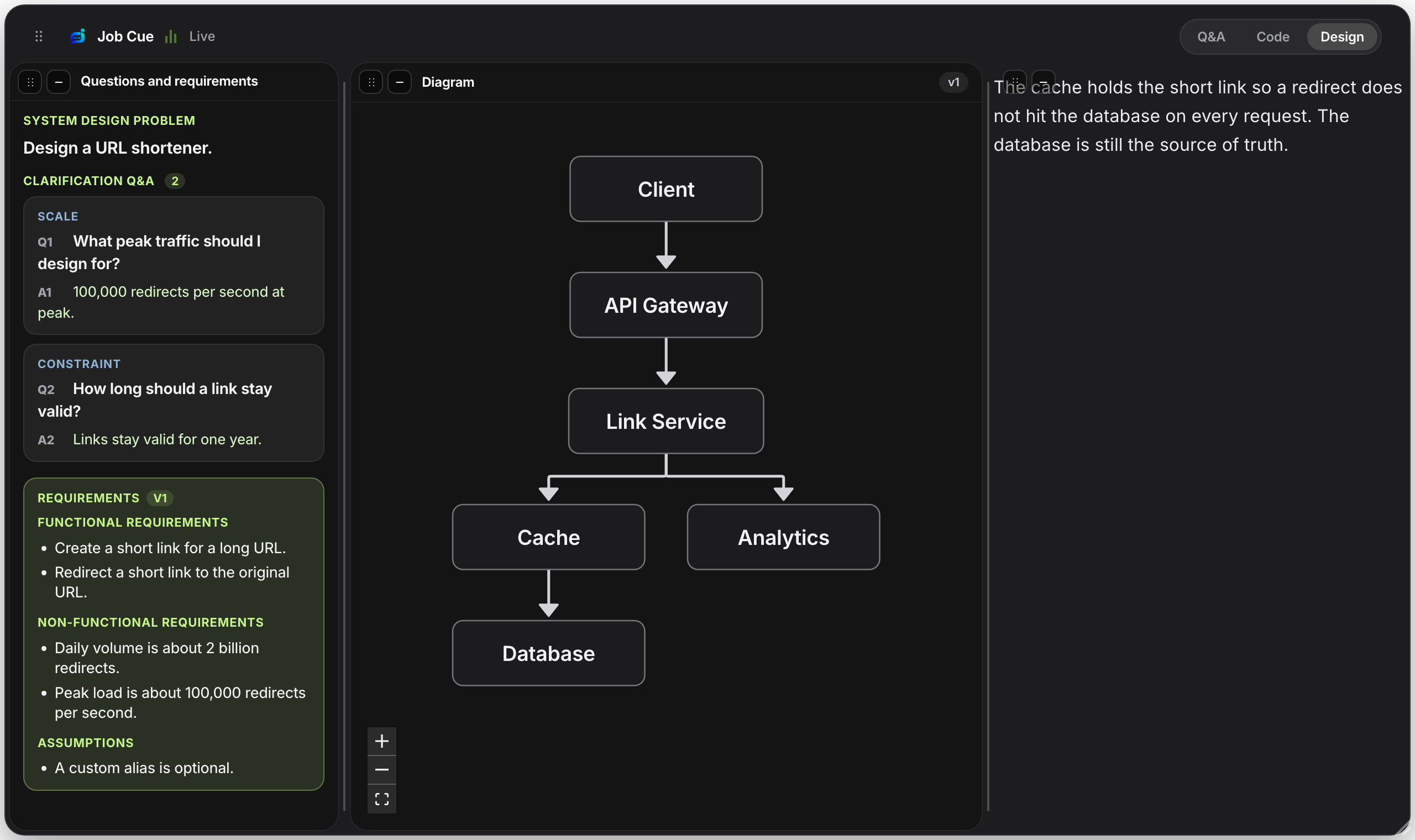
Start with the problem
Say a whole problem, for example “Design a URL shortener.” Job Cue opens system design and asks clarifying questions. It should not draw a diagram yet.
Answer the way an interviewer would: scale, what must not be lost, and what is in scope. Spoken filler such as “good catch” should not become a requirement. Numbers should stay as numbers.
Finalize, then draw
When the questions stop, press Finalize requirements. You should see functional requirements, non-functional requirements, and assumptions, then a diagram.
Press Draw architecture if the diagram did not appear. Each box should have a short explanation: what it does, what it talks to, and why it is there.
Stay on the same design
A follow-up such as “Why that database?” or “What if it goes down?” stays inside the design. It should not start a second system.
Practice one design until you can explain the diagram without reading it. Then do a second, different system on another day.
More practice
Sign in, add your resume, and run one practice session.
Sign in